

Rushino App for Canada
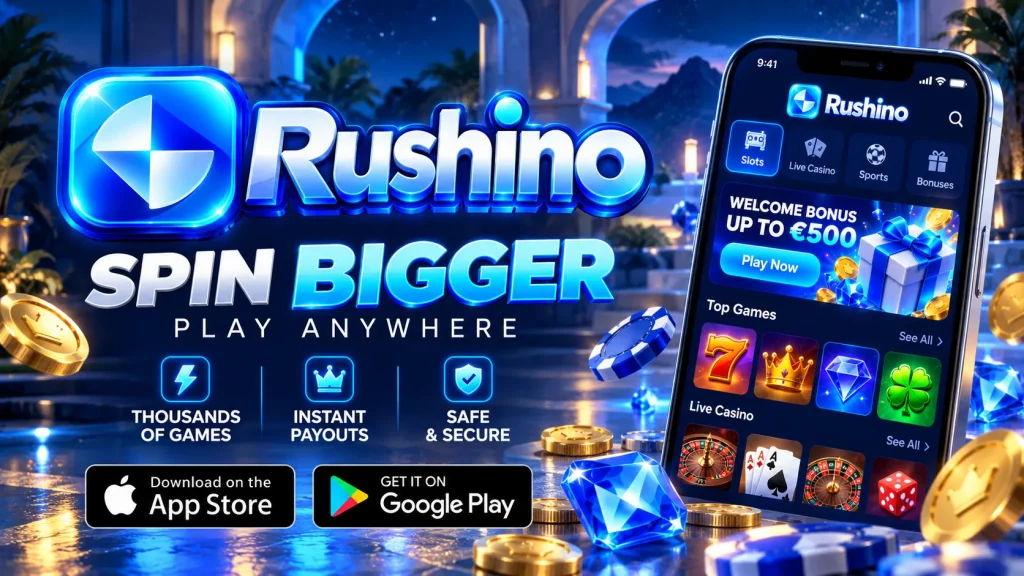
If you have ever waited for a casino site to crawl open on a bus ride, you will understand why we built the Rushino app. It puts our full lobby, your cashier and your account behind one icon, with CAD balances and Canadian payment options built in. This page walks you through downloading, installing, signing in, depositing and cashing out, plus fixes for the snags players run into most often. You must be of legal gambling age in your province to play.
Built on HTML5 for Speed You Can Feel
The Rushino app runs on HTML5, which in plain terms means the lobby and games use the same web technology modern phones already handle well. For you, that means a lightweight install, because we never make you download a separate package for every slot. Games load instantly with no plugins, and the lobby typically opens within a few seconds on a decent 4G or Wi-Fi connection. One build adapts to phones and tablets, so the layout that works on an iPhone works just as well on a Samsung or an iPad. Animations stay smooth and close to native, while battery and data use stay lower than with older, heavier formats. Sessions also pick up where you left off after a call or a notification. Rushino mobile is not a cut-down version of our desktop casino: the catalogue, cashier and account tools are all here.
Getting the App on Your Phone
Completing the Rushino app download and install takes about two minutes. The steps differ by platform because each store treats real-money gambling differently.
Android: Installing the APK from Our Site
Google Play restricts real-money gambling apps in many regions, so we offer the Android APK directly on our website. Open the official Rushino site in Chrome, tap the download button and confirm the file. When Android asks, allow installs from your browser under “Install unknown apps”. You can switch that permission off again afterwards. Open the downloaded file, tap Install, then launch the Rushino casino app from your home screen. Only download from our official domain, never from links sent by strangers or third-party mirrors. When a new version is available, the app prompts you to update so you always have the latest security patches.
iOS: Adding the Web App to Your Home Screen
On iPhone and iPad we use a web app approach, so there is nothing to approve through the App Store. Open Safari, visit our site, tap the Share icon, choose “Add to Home Screen” and confirm the name. A Rushino icon appears next to your other apps and opens full-screen, without the browser address bar. Because it is HTML5, the Rushino app on iOS gives you the same lobby, cashier and live games as on Android, and updates arrive automatically with no reinstall. Turn on Face ID in your device settings to sign in faster. Use Safari for this step, since other iOS browsers may not offer the option.
System Requirements and Compatibility
We kept the requirements modest so the Rushino app runs well on mid-range phones, not only the latest flagships.
| Requirement | Android | iOS |
|---|---|---|
| Minimum OS | Android 8.0 | iOS 14 |
| Free storage | About 200 MB | About 100 MB |
| Memory | 2 GB RAM | iPhone 8 or newer |
| Browser | Latest Chrome | Safari |
| Connection | Wi-Fi or 4G/5G, 3 Mbps+ | Wi-Fi or 4G/5G, 3 Mbps+ |
Older devices may still work, but performance can vary. Close background apps and keep your system updated for the smoothest Rushino mobile sessions. Slots use far less data than video streaming, but live dealer tables use more, so Wi-Fi is the safer choice for long sessions.
Registration, Verification and One-Tap Login
Going from install to your first spin takes four steps: open the app, tap Register, complete a short form sized for your thumb, and make your first deposit. We ask only for the essentials: email, password, CAD as your currency, date of birth and province. To keep withdrawals smooth later, we recommend uploading ID and proof of address straight away. Clear photos taken with your phone camera usually work fine, and checks are normally completed quickly, though busy periods can take longer. After that, Rushino app login supports fingerprint and Face ID, plus a stay-signed-in option for your personal device. Never enable it on a shared phone. If you forget your password, tap the reset link and we will email you a secure code.
A Mobile Lobby That Plays Like Desktop
Open the Rushino mobile lobby and you will find slots, progressive jackpots, blackjack, roulette, baccarat, game shows and live dealer tables, all playable in portrait or landscape. Nothing is stripped out for small screens. The search bar finds a title in seconds, and filters let you sort by provider, feature or popularity. You can star favourites and return to recent games from the home tab. Live casino streams adjust their quality to your connection, so a weak signal slows the picture rather than kicking you out mid-hand. Many slots offer a demo mode, which is a useful way to learn the rules and volatility before you stake real CAD. Whatever you choose, the Rushino app keeps loading times short.
Mobile Bonuses With Terms You Can Actually Read
You can find the current welcome offer and any app-friendly promotions in the Promotions tab. Before you opt in, we show the bonus amount, the wagering requirement, the maximum bet while wagering, game contribution rates and the expiry date. Read those four points first, because they decide whether an offer suits your style. Free spins usually carry their own wagering, and bonus funds are never guaranteed winnings. Rushino mobile players can also switch on push notifications for reload offers, tournaments and spin drops, and switch them off again in settings whenever you like. Your play on the app counts toward the same Rushino loyalty and VIP levels as desktop play, so nothing is lost by choosing your phone.
Deposits and Withdrawals in CAD
The cashier in the Rushino app is designed for one-handed use. Saved methods let you deposit in a couple of taps, and we display every limit and fee before you confirm.
| Method | Deposit | Withdrawal | Typical timing |
|---|---|---|---|
| Interac e-Transfer | Instant | Yes | Often within 1 business day after approval |
| Apple Pay / Google Pay | Instant | Deposit only | Withdraw via another method |
| Visa / Mastercard debit | Instant | Yes | 1–3 business days |
| iDebit / Instadebit | Instant | Yes | Same day to 1 day |
| Bitcoin / Litecoin | Network time | Yes | Usually within hours after approval |
Timings are estimates and depend on verification and your bank or provider. Complete KYC early and withdraw to the method you deposited with to avoid delays.
Security and Responsible Play
The Rushino app encrypts data in transit with TLS, and payments run through secure processors. Our games use certified random number generators that independent labs test for fairness. Licensing and availability depend on your province, so check the footer for our current regulatory details. Ontario players should also know that provincial rules apply to them. At Rushino we want play to stay enjoyable, so the account menu includes deposit and loss limits, session reminders, time-outs and self-exclusion. All of these take effect immediately. If gambling stops feeling like fun, contact ConnexOntario or your provincial support line, and reach out to us at any time. We would always rather help you pause than see you play past your limits.
Fixing Common Problems
Most issues take under a minute to solve. Start with the checks below.
Installation Troubles
If the Rushino app is not installing on Android, first check that “Install unknown apps” is enabled for your browser. Then make sure you have at least 200 MB of free storage, because a full phone is the most common culprit. If you see “App not installed”, delete any older version and try again. A file that stopped downloading halfway can also be corrupt, so remove it and download it fresh from our official site. Turn off battery saver during installation, as it can interrupt the process. On iPhone, if “Add to Home Screen” is missing, switch to Safari and retry.
Login Problems and Slow Loading
If you cannot sign in, check caps lock, then use the password reset link. Make sure your phone’s date and time are set to automatic, and re-enable biometric login in settings if it stops responding. If the Rushino mobile lobby loads slowly, switch between Wi-Fi and mobile data, close background apps and clear your browser cache. Update Chrome or Safari as well, since the app depends on them. Turn off any VPN, as it can trigger location checks and block access.
Support When You Need It
If a fix above does not work, Rushino support is available around the clock through live chat in the app, with email as a backup. To speed things up, tell us your phone model, your Android or iOS version and what happened just before the problem, and attach a screenshot if you can. Our team can also help with verification questions, bonus terms and withdrawal status, so you are never left guessing. Whether you are installing the Android APK or adding the iOS web app, you can be playing in minutes. We would be glad to have you on board.